
For Mac · Version 1.0.0
Give your Mac keyboard a sound you love.
MacThock plays the keyboard sound you choose each time you press a key, in every app. Pick from 71 profiles, from a deep thock to a crisp click, all made right on your Mac.
Free · Version 1.0.0 · 25.1 MB disk image · macOS 13 Ventura or later
Coming to the Mac App Store
Try the sounds
Hear the difference in seconds.
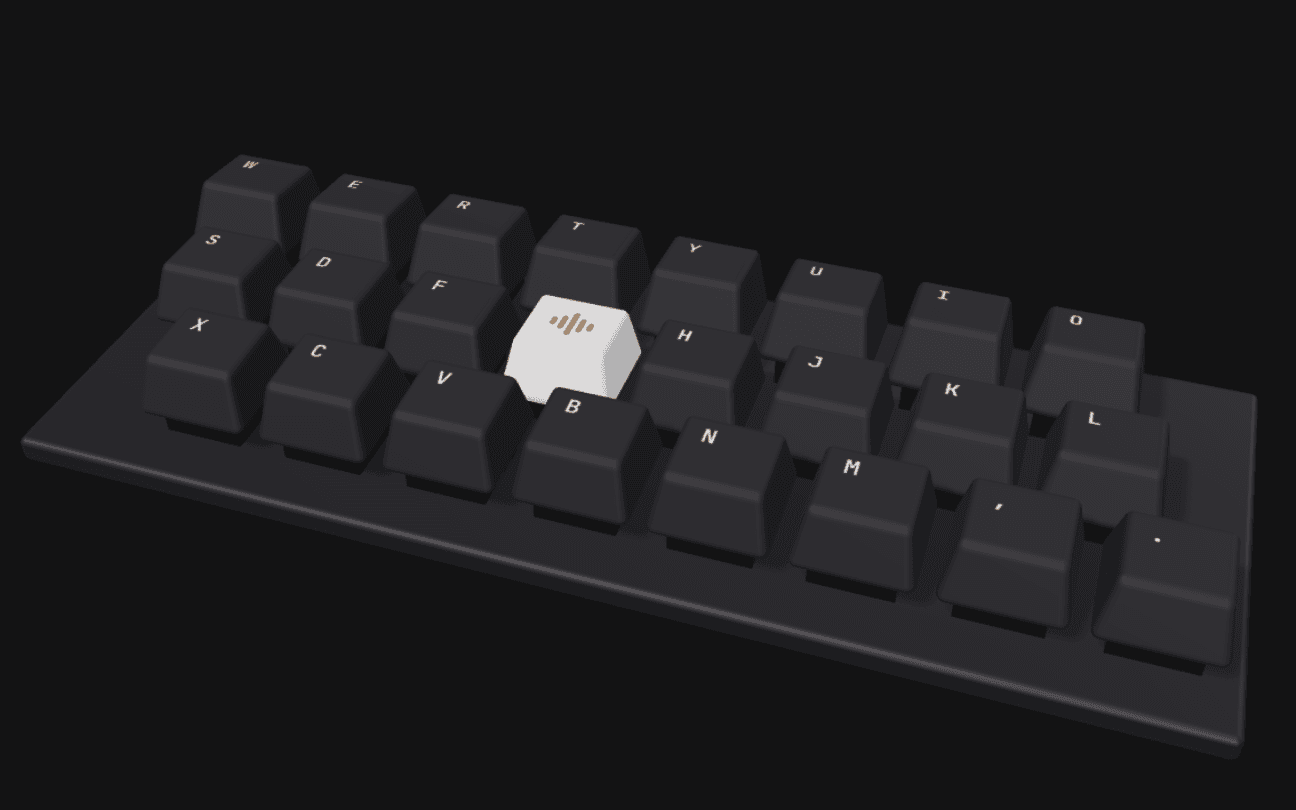
Pick a profile, then tap the keys or type on your own keyboard. Each one follows the sound model MacThock uses for its Sound Signatures, from low and woody to bright and clicky.
Creamy
Smooth and rounded through the middle, with a soft fade above 2 kHz.
- Character
- 500 Hz to 1.2 kHz
- Brightness
- 350 Hz
- Length
- 285 ms
Sound is off. Tap a key or turn sound on.
Browser preview. These sounds are synthesized on this page from MacThock's Sound Signature models and play only while this keyboard is selected. Nothing you press is recorded or sent anywhere. The app itself plays in every app on your Mac and includes recorded keyboards too.
In use
See MacThock in use.
Real screenshots from version 1.0.0.
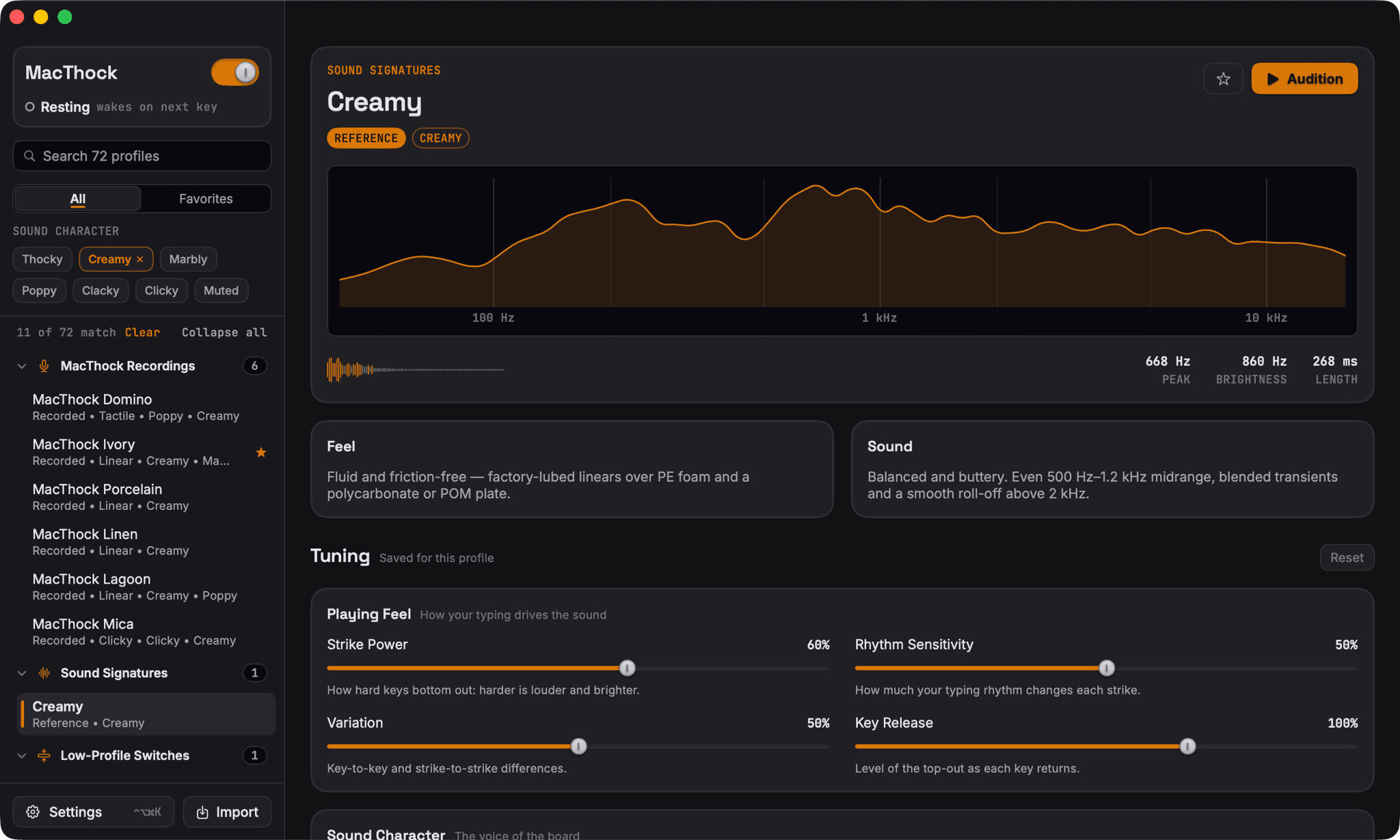
Choose a sound
Browse 71 profiles grouped by switch type, or filter by how they sound: thocky, creamy, marbly, poppy, clacky, clicky or muted. Press Audition to hear one before you pick it.
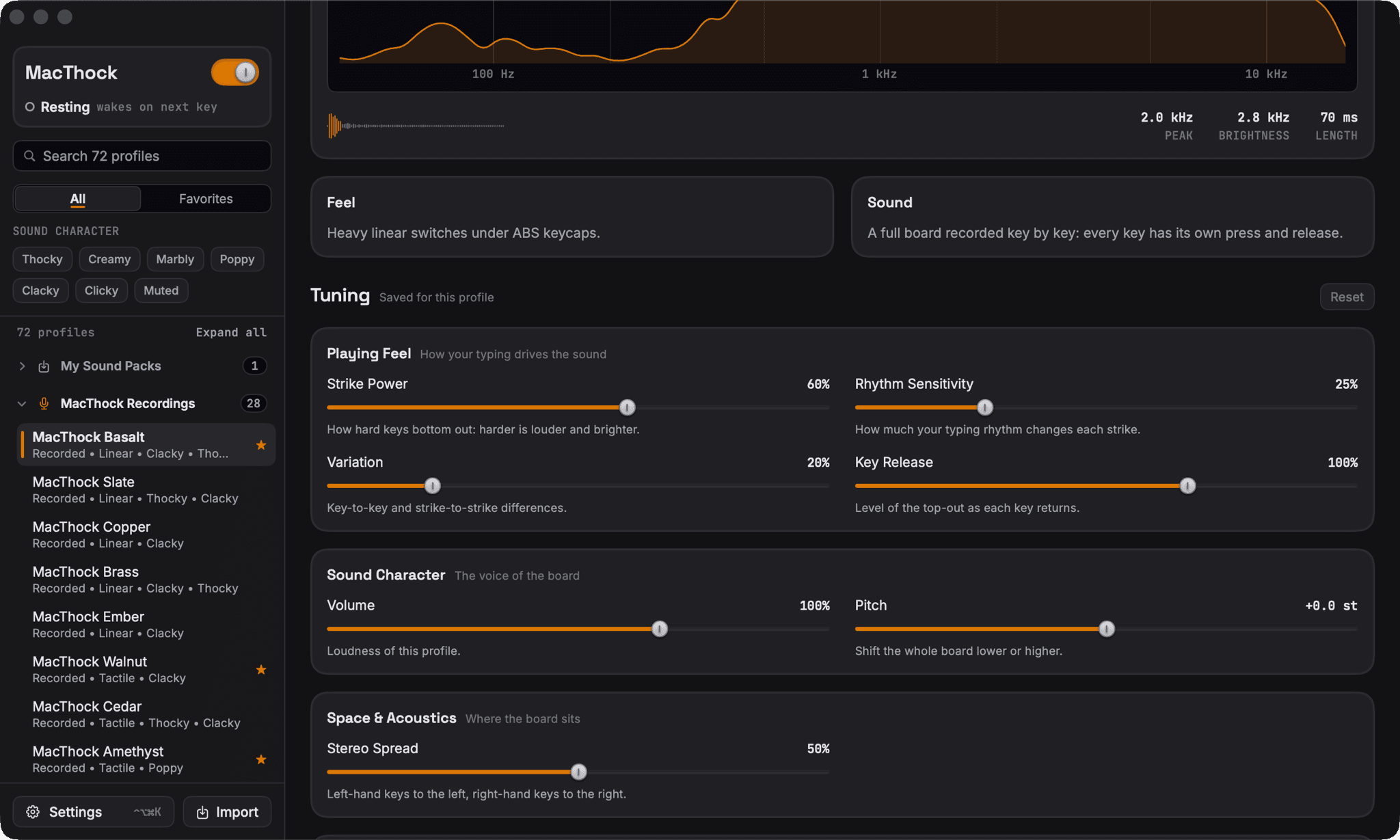
Shape how it plays
Every profile keeps its own tuning. Set strike power, rhythm sensitivity, variation, key release, volume, pitch and stereo spread, and MacThock remembers them.
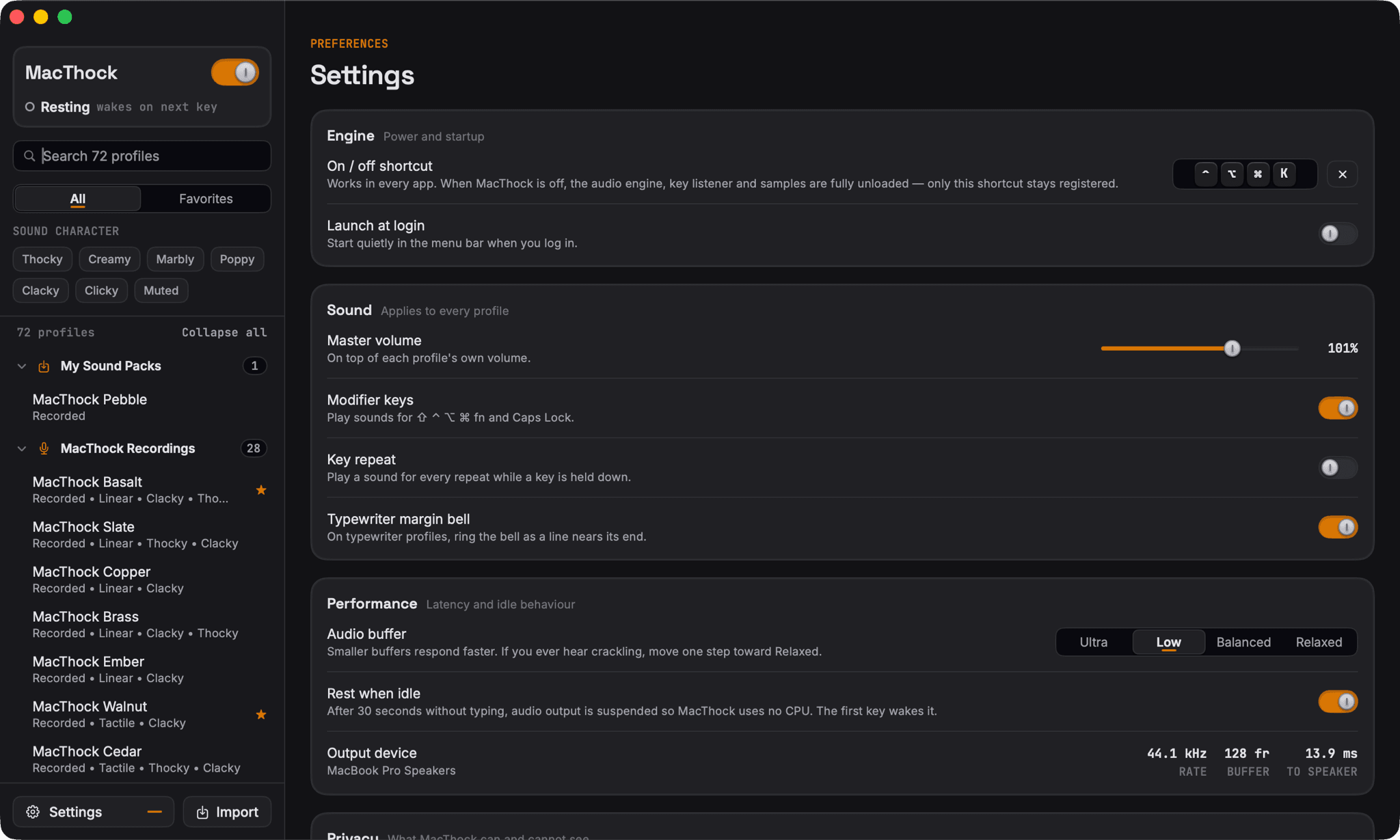
Set it once
Pick an on and off shortcut, launch at login, set the master volume, choose whether modifier keys and key repeat make a sound, and trade a little power for a faster response. Import your own sound packs from the sidebar.
How it works
Four steps to hear it everywhere.
Step 1: Download
Open the disk image and drag MacThock into your Applications folder.
Step 2: Open MacThock
It lives in your menu bar. The window opens the first time so you can look around.
Step 3: Choose a sound
Pick a profile and press Audition to hear it before you commit.
Step 4: Allow Input Monitoring
Switch MacThock on in System Settings, Privacy & Security, Input Monitoring. Then it plays as you type in every app.
What Input Monitoring lets MacThock do
It is the only permission MacThock asks for. Without it, sounds still play when you press Audition, but not while you type in other apps.
Listen only
MacThock can notice that a key went down or up. It cannot change, block or type keys.
Key positions, not text
It reads the hardware key code to pick a sound, never the characters, and keeps no record.
Passwords stay hidden
While a password field has focus, macOS withholds keystrokes from every app that listens.
Yours to revoke
Turn it off any time in System Settings, Privacy & Security, Input Monitoring.
- Privacy
- Runs entirely on your Mac. No network code, no account, nothing collected.
- Compatibility
- macOS 13 Ventura or later. Apple silicon and Intel.
- Availability
- Free direct download now. Mac App Store version on the way.
Questions
Common questions, answered.
More detail on setup and troubleshooting is on the Support page.
What does MacThock do?
MacThock plays a keyboard sound every time you press a key on your Mac, in any app. You choose the sound from 71 profiles, from deep, muted thocks to sharp clicks, including 28 recorded keyboards. It runs quietly in your menu bar.
How do I get mechanical keyboard sounds on a Mac?
Install MacThock, pick a profile, and allow Input Monitoring when macOS asks. From then on, your built in keyboard or any keyboard you connect sounds like the profile you chose, everywhere you type.
Why does MacThock need Input Monitoring?
macOS only tells an app that a key went down or up in another app after you allow it. MacThock listens only: it cannot change, block or type keys. It reads which key position was pressed so it can pick the right sound, not the letter you typed, and it does not log or store anything. While a password field is active, macOS hides keystrokes from it entirely.
Can I try it in the browser?
Yes. The preview above plays four of MacThock's sound signatures while that keyboard is selected. It is a preview: a web page cannot hear what you type in other apps, so for that you need the Mac app.
Does it work offline?
Yes. MacThock contains no networking code, and every sound is made on your Mac, so no internet connection is required to play sounds. You only need a connection to download it.
Which Macs and macOS versions are supported?
macOS 13 Ventura or later, on Macs with Apple silicon and Intel processors. Version 1.0.0 is a single universal app for both.
Do I need an account?
No. There is nothing to sign up for and nothing to sign in to.
Is it free?
The direct download from this site is free. MacThock is also coming to the Mac App Store; its listing will show its own price when it goes live.
Can I add my own sounds?
Yes. Choose Import, or drop a folder of key recordings, a key map pack with a config.json, or a .zip of either onto the window. Imported packs stay on your Mac. See Support for details.
Your keyboard, with a voice you picked.
Download MacThock, choose a sound, and type. Read the privacy policy or visit Support if you need a hand.
Free · Version 1.0.0 · 25.1 MB disk image · macOS 13 Ventura or later
Coming to the Mac App Store